01
Account Builder
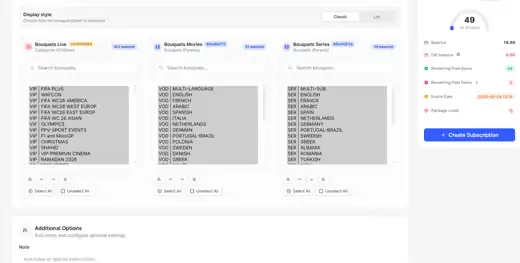
Create trial or paid accounts, set the expiry date and choose the connection limit before activation.


Mega OTT Resellers
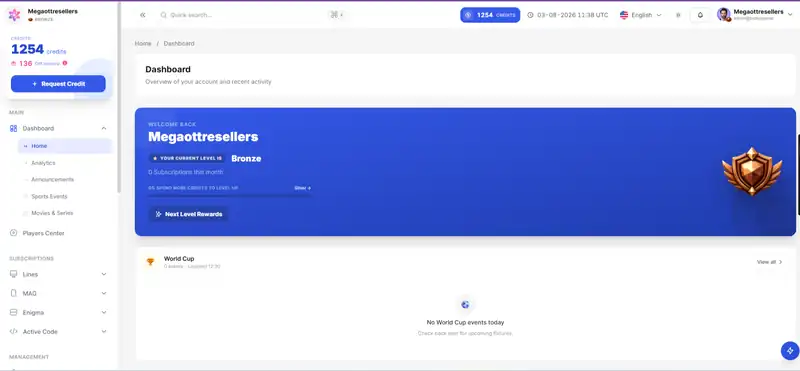
The Mega OTT reseller panel gives professional resellers one place to manage accounts, activations and flexible credit supply for day-to-day operations. After your panel is activated, our team stays with you through setup, follow-up and ongoing support, so you are never left to manage the service alone.
1 Year = 1 Credit • 1-Day Trial = 0 Credit
Live TV • Movies • Series
Mega OTT Resellers keeps activations, credits, customer accounts and sub-reseller work in one clear place, so you spend less time switching between tools and more time serving your customers.
Create and renew customer access through a clean, efficient reseller workflow.
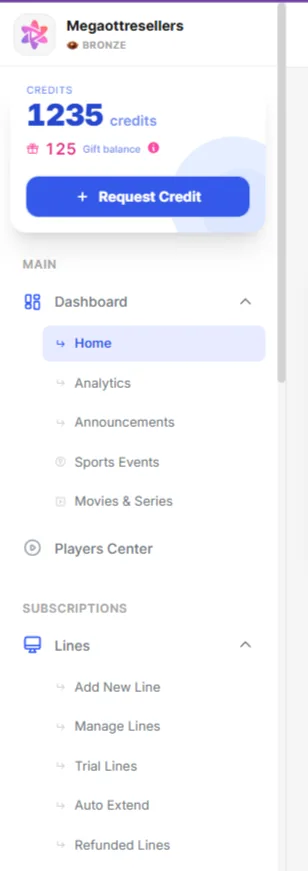
Allocate credits where your operation needs them and keep distribution organized.
Search, edit and manage customer accounts from one focused workspace.
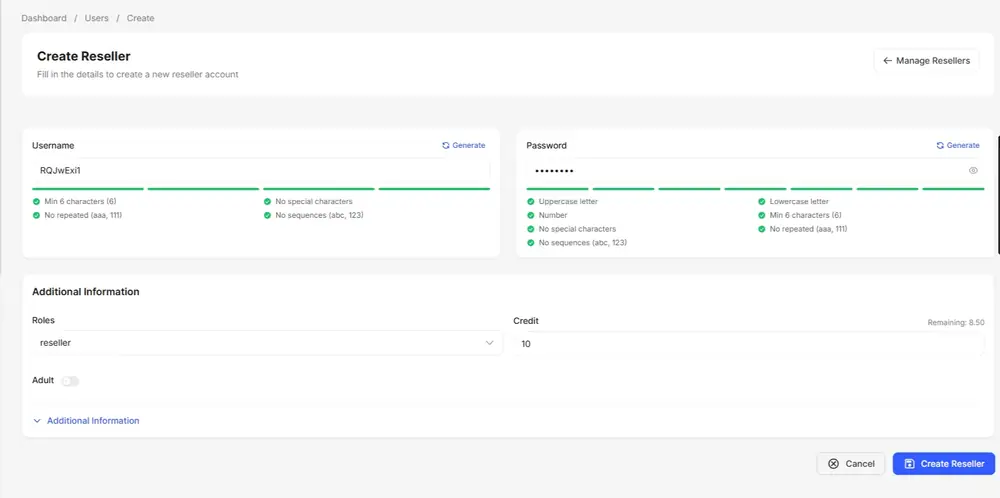
Create and support a structured reseller network as your business grows.
Reseller workflow
Mega OTT Resellers takes you from your first request to a working reseller panel in three straightforward steps.
Tell us the panel access and credit volume your operation needs.
Get your reseller workspace and assigned credits.
Manage customers, renewals and sub-resellers from one controlled environment.
1 Year = 1 Credit
1-Day Trial = 0 Credit
Inside the panel
Mega OTT Resellers gives you direct control over the details that matter each day—from setting up an account correctly to choosing its bouquets, checking expiry dates and moving credits where they are needed. The panel stays clear, so routine work does not turn into a complicated process.
Create trial or paid accounts, set the expiry date and choose the connection limit before activation.
Assign the Live TV, movie and series packages that match each customer request before the line goes live.
Review account status and renew an existing customer without rebuilding the account from the beginning.
Check the available balance and assign the exact number of credits required for the next order.
Issue sub-reseller access, follow assigned credits and keep the structure of your reseller network organized.
Find a customer quickly, update account details and handle everyday requests without losing time.
Every tool is there for a practical reason: fewer repeated steps, clearer account handling and more control as your reseller activity grows.
Video Academy
Mega OTT Resellers gives new and experienced resellers a clear way to learn the platform. Each guide focuses on one real task, so you can understand the panel faster, avoid common mistakes and get help from our team whenever you need it.
Get familiar with the login, dashboard and main controls.
Create trials, paid lines and renewals correctly.
Understand balance use, allocation and refill requests.
Set up access and keep reseller activity organized.
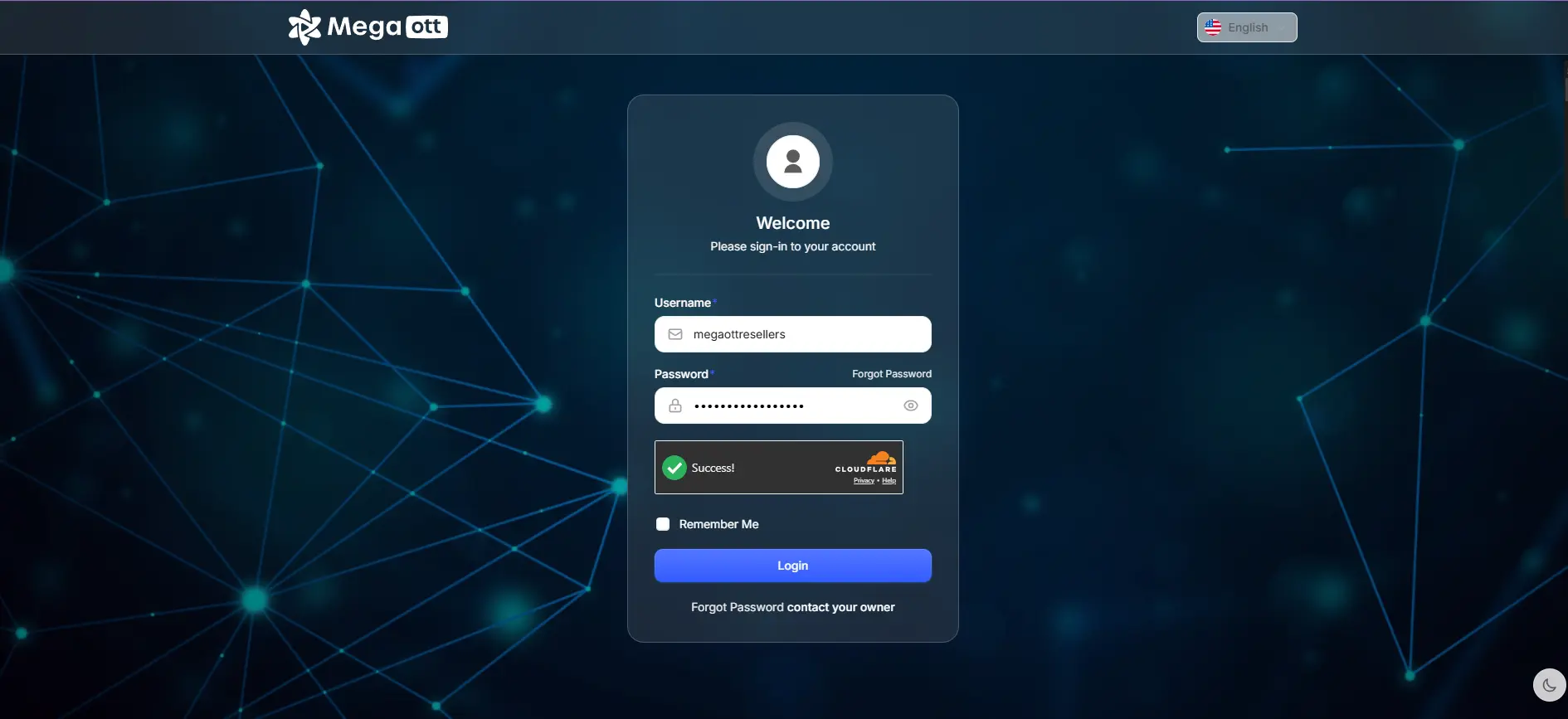
Training and follow-up remain available after activation, so you can ask about the exact task you are handling instead of searching through long, unrelated tutorials.
Get HelpContent & credit system
Mega OTT Resellers brings live channels, movies and complete series into one regularly maintained catalog. You can preview the available content before activation, understand the exact credit cost for each duration and offer the service across the devices your customers already use.
0
Live TV
Live channels across sports, news, entertainment and regional categories.
0
Movies
A broad on-demand movie catalog covering popular and international titles.
0
Series
Complete shows and ongoing series arranged for easier browsing.
Explore the real catalog
Nothing is displayed until you select one of the content categories below.
Credit system
The cost stays visible before activation, whether your customer needs a trial, a short plan or a full year.
1-Day Trial
0
1 Month
0.1
3 Months
0.25
6 Months
0.5
1 Year
1 Credit
Search the catalog
Search the current Mega OTT catalog before activating an account for your customer.
A clear walkthrough of the exact actions inside the Mega OTT panel, from opening reseller tools to activating the new account.
Open
From the main menu, enter the reseller management area.
Create
Start a new sub-reseller account from the creation tool.
Name
Add the account name exactly as you want it to appear.
Video guide
Create, configure and activate a sub-reseller
Sub-Reseller Setup
Access · Credits · Permissions · Activation
Access
Set the username, password and the account access details.
Credits
Choose the balance and define the reseller permissions.
Launch
Review the details, save the account and start managing it.
Reseller FAQ
Clear answers about panels, credits, reseller levels, payments and support.
Mega OTT Resellers provides reseller control panels and credits for professional distributors. The service is focused on reseller operations rather than direct end-user subscriptions.
Contact the team, choose the reseller level that matches your needs, confirm the credit quantity, then receive your panel access and account details.
A reseller manages credits and customer activity from the main panel. A sub-reseller receives a separate account and an assigned credit balance from the reseller who creates it.
Credits are the working balance used for activations, renewals and allocations to sub-resellers. Keeping enough available credit helps you process customer requests without delay.
Available payment categories can include PayPal, payment gateways, money transfer, cryptocurrency, banking and other agreed methods. Contact the team to confirm which option is currently available for your order and currency.
Open the pricing page or contact Mega OTT Resellers through WhatsApp. Final availability and order details are confirmed before payment.
Depending on the selected reseller level, the platform can support account management, credit allocation, Live TV, movies, series, custom DNS and platform updates. Confirm current inclusions before ordering.
You can contact the team through WhatsApp, Telegram or email for panel, credit and reseller guidance. Keep your username and password private when requesting assistance.